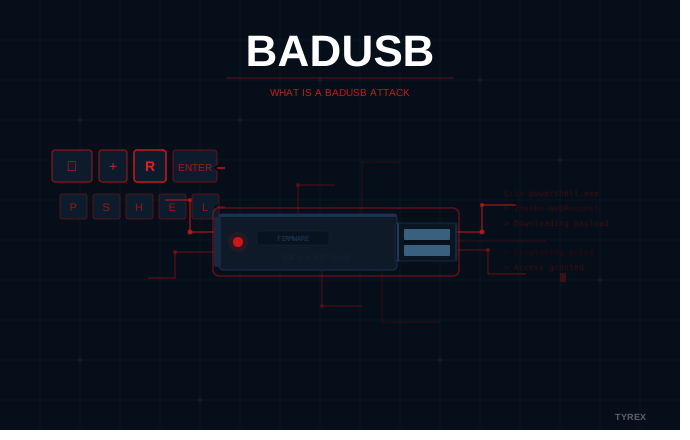

A BadUSB attack is a type of cyberattack where a USB device has its firmware reprogrammed to behave as something it is not.
To the computer it is plugged into, the device looks legitimate. But once connected, it can act as a keyboard, inject commands, download malware, or hijack a network connection, all without the user doing anything beyond plugging it in.
What makes BadUSB particularly serious is not just what it can do. It is that most standard security tools cannot detect it at all.
How does a BadUSB attack work
Every USB device has a small microcontroller chip that contains firmware. This firmware tells the host computer what type of device it is, whether that is a storage drive, a keyboard, a webcam, or a network adapter.
The problem is that this firmware can be rewritten.
An attacker with physical access to a USB device can reprogram that firmware to make the device masquerade as something else entirely. Once connected to a target machine, the device behaves however it was programmed to, without the user’s knowledge.
The human interface device trick
The most common BadUSB method involves reprogramming a USB drive to identify itself as a keyboard, known as a Human Interface Device (HID).
Computers trust keyboards by default. They do not prompt for permissions or run security checks when a keyboard is connected. So when a BadUSB device registers as a keyboard, it can immediately begin typing, injecting keystrokes automatically at speeds no human can match.
A typical attack sequence looks like this:
| Step | What happens |
| 1 | Attacker reprograms USB firmware to emulate a keyboard |
| 2 | Device is plugged into target machine |
| 3 | OS recognises it as a trusted input device |
| 4 | Device injects pre-programmed keystrokes automatically |
| 5 | Commands open a terminal, download malware, or exfiltrate data |
| 6 | Attack completes in seconds |
The whole sequence can execute in under a minute. Some commercial tools built for penetration testing, such as the Rubber Ducky, can inject over 1,000 keystrokes per minute once connected.
Other ways BadUSB devices operate
Spoofing a keyboard is not the only method. Attackers can also reprogram USB devices to:
- Pose as a network adapter and redirect internet traffic through an attacker-controlled server
- Emulate a CD-ROM drive and deliver a malicious payload presented as a software installer
- Act as a charging cable that executes commands the moment it is plugged in
- Combine multiple device types in sequence to carry out multi-stage attacks
Why standard antivirus cannot detect BadUSB
This is the part that makes BadUSB genuinely difficult to deal with.
Antivirus software works by scanning files. It looks at what is stored on a device, compares it against known threat signatures, and flags anything suspicious.
BadUSB does not store malware on the device in the traditional sense. The payload lives in the firmware, a layer that antivirus software cannot read or scan. As far as the operating system is concerned, it is just looking at a device identifier, not a file.
There is nothing for the scanner to find.
| Security approach | Effective against file-based malware | Effective against BadUSB |
| Antivirus software | Yes | No |
| Endpoint detection and response (EDR) | Partially | Rarely |
| USB port blocking (software) | Yes | Only if port is fully disabled |
| Hardware-based USB scanning station | Yes | Yes |
| Network firewall | Partially | No |
The only controls that meaningfully address BadUSB are those that inspect the device before it reaches a host system, or that prevent USB connections altogether.
BadUSB in the real world
BadUSB was first demonstrated publicly in 2014 by security researchers Karsten Nohl and Jakob Lell. Their research showed that any USB device with reprogrammable firmware, not just flash drives but keyboards, mice, and chargers, could be weaponised in this way.
The cybersecurity community took the warning seriously. Attackers did too.
In 2020, the FBI issued a warning that the FIN7 cybercrime group had been sending malicious USB devices to organisations in the retail, hospitality, and restaurant sectors. The packages were disguised as gift cards from well-known brands, with letters encouraging recipients to plug in the enclosed drive to claim a reward.
When connected, the devices emulated a keyboard and immediately began injecting commands to download ransomware.
In 2022, the FBI issued a second warning. FIN7 had expanded its targeting to defence contractors, transportation companies, and insurance firms, using packages impersonating Amazon deliveries and US government communications.
These were not sophisticated intrusions requiring advanced technical skill. They were physical attacks delivered by post.
Who is most at risk
BadUSB is a threat to any organisation where USB devices are used, but the risk is highest in environments where:
- Devices are regularly brought in by third parties, contractors, or visitors
- Systems are air-gapped from the internet, making USB one of the few data entry points
- Legacy infrastructure cannot run modern endpoint security software
- Operational technology (OT) networks are connected to IT systems
- Staff handle USB devices routinely and may not treat them with suspicion
Industrial environments, defence facilities, critical infrastructure, and maritime operations sit at particular risk. In these settings, a contractor arriving with a USB drive is a routine event. Scrutiny of those devices is often minimal.
BadUSB and air-gapped networks
Air-gapped environments face a particular challenge with BadUSB. These are networks deliberately isolated from the internet, used in defence, industrial, and critical infrastructure settings precisely because they need to be protected from remote threats.
But isolation does not eliminate the risk. Because there is no network connection, USB drives are often the primary method of transferring data into the protected environment. That makes every USB insertion a potential attack vector.
A BadUSB device introduced by a contractor, maintenance engineer, or even an unknowing employee does not need a network connection to execute. It simply needs to be plugged in. In an environment where USB transfers are routine and trusted, the conditions for a BadUSB attack are close to ideal.
For a detailed look at how organisations manage security in isolated environments and where removable media fits into that picture, see our guide to air-gapped network security and risks.
How to protect against BadUSB attacks
No single control is enough on its own. Effective protection combines policy, process, and the right technical controls.
Staff awareness
People should understand that USB devices can be dangerous regardless of whether they appear to be a simple storage drive. Found devices should never be connected to any machine. Delivered devices, even from apparently legitimate sources, should be treated with the same caution as any unknown package.
Device control policies
Organisations should maintain approved device lists and restrict USB connections to registered, vetted hardware only. Where possible, USB ports on sensitive systems should be disabled unless there is a specific operational need. A formal removable media security policy is the foundation any technical control needs to be effective.
Hardware-based scanning at the point of entry
For environments where USB devices genuinely need to be used, and most operational environments cannot simply ban them, the only reliable technical control is a hardware-based scanning station.
Unlike software antivirus, a dedicated USB scanning station inspects the device in a completely isolated environment before it reaches any host system. It can detect suspicious firmware behaviour, identify malicious file payloads, and flag devices that misrepresent their device type. The host system is never exposed during the scan.
This is why sheep dip stations became standard practice in defence environments long before BadUSB was formally documented. The principle, inspect before you trust, addresses the threat at the right point in the process.
Tyrex K-REX stations apply five antivirus engines and two anti-malware engines simultaneously in an isolated hardware environment, producing a scan log that supports audit and compliance requirements. They operate fully offline, making them suitable for air-gapped and restricted environments where software-based controls cannot be deployed.
For more on how USB scanning works in practice, visit the removable media security solutions page.
The key takeaway
BadUSB is not a new threat, but it remains one of the most underestimated ones.
It requires no network access, leaves no obvious trace, and bypasses the security tools most organisations rely on. The defence against it is not more software. It is a process that treats every USB device as untrusted until it has been inspected at the hardware level.
Protect your environment at the point of entry
Find out how Tyrex USB scanning stations stop BadUSB and other removable media threats before they reach your systems. Request a Demo